Open your state’s website for filing steps and forms.
New Mexico LLC Name Availability
Check your candidates, then use New Mexico’s official Name Availability search to investigate the name you plan to file.
Check a business name.
We use a third-party name-check service for this preliminary check. It does not search the official state website directly.
Checking your name.
Checking name availability in your selected state.
Your result
Final name approval is made by the state.
About this check
Find Name Availability under Advanced
The Secretary of State’s Business Search has a Name Availability option inside its Advanced controls. The search opens with Contains selected, so check the selected option before submitting a candidate.
- Enter your candidate in Search by name or file number. The field requires at least two alphanumeric characters.
- Open Advanced and select Name Availability. For this first check, leave Entity Type, Status and Registration Date blank so those filters do not narrow the records you see.
- Click Search and wait for the result to finish. Check that the entered name and selected option still belong to the result you are reading.
The portal specifically asks you to include special characters when the business name contains them. Keep those characters in your query when looking up a known name.
Open New Mexico Business Search
 Open full size
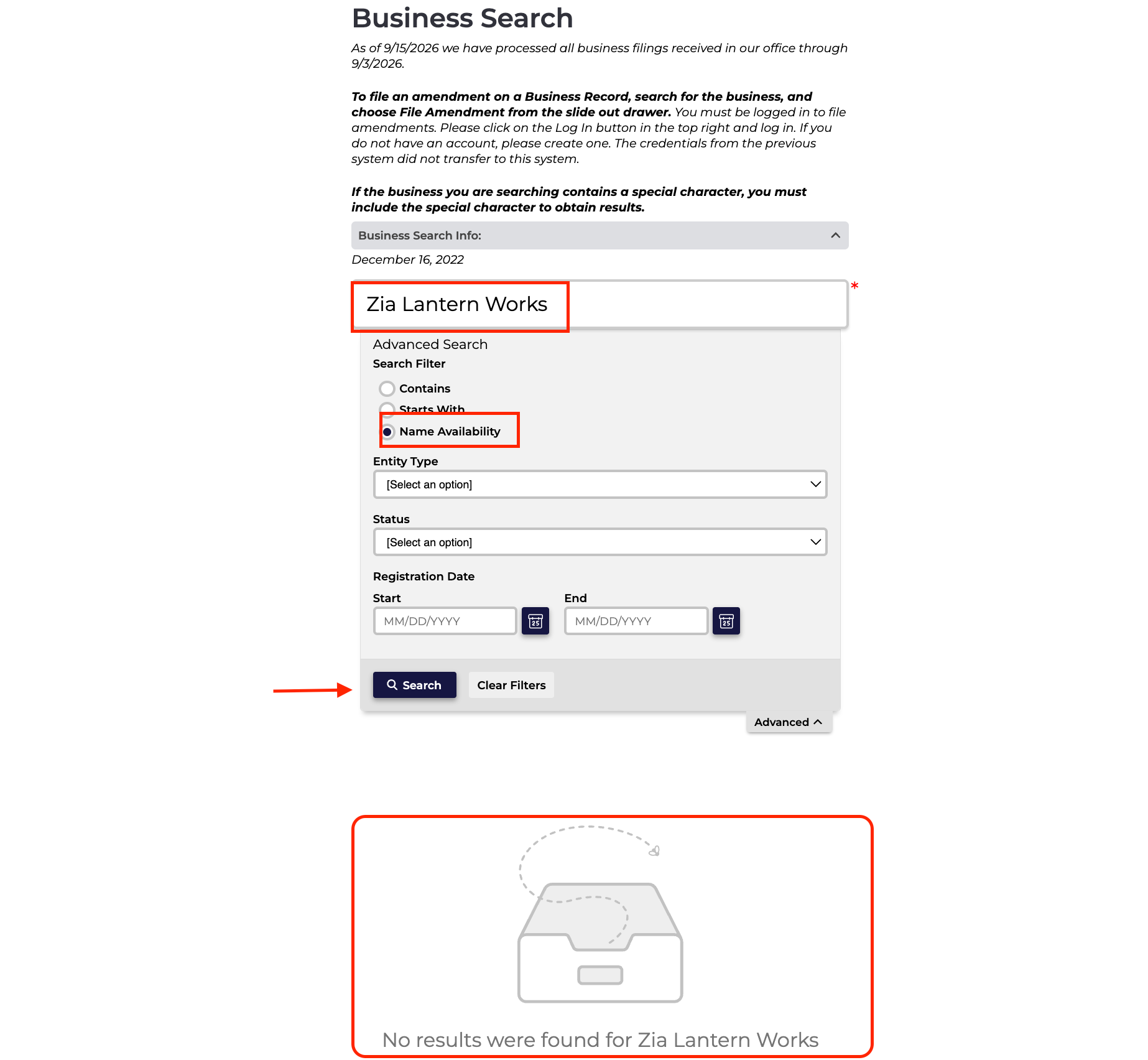
The invented candidate Zia Lantern Works produced the message shown above. Even with Name Availability selected, the message reports that the search found no results; it does not reserve the name or accept a formation filing.
While a new search runs, an earlier result can remain on screen. Wait until the Searching indicator clears before treating the displayed rows as the new result.
A matching row identifies a business record
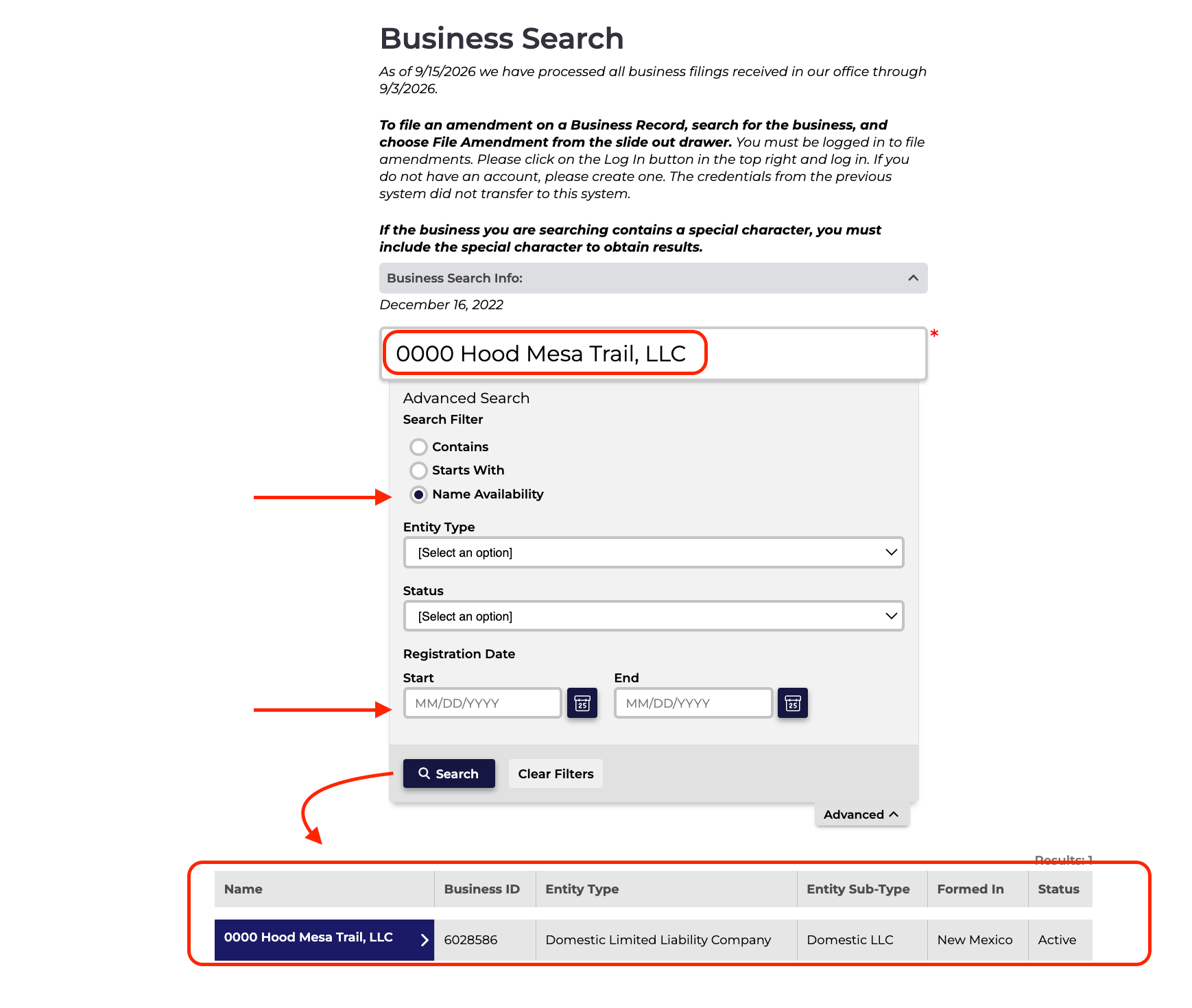
Searching for 0000 Hood Mesa Trail, LLC with Name Availability selected returned one record. The row identifies the business by its name and Business ID, then shows its entity type, where it was formed and its status.
 Open full size
Click a business name to open its record details. Keep the Business ID with any close match you want to ask the Business Services Division about. Active describes that record’s status, not a decision on your proposed name.
You can also select Contains to explore records around a shorter phrase. Read the complete names and any Matched Names text beneath them, and keep the search method with your notes. Do not dismiss a close match solely because its status is Dissolved or Revoked.
Prepare the full LLC name and resolve close matches
NMSA 1978 § 53-19-3(A) requires an LLC name to include limited liability company, limited company, L.L.C., LLC, L.C. or LC. It also permits ltd. for limited and co. for company.
Section 53-19-3(B) requires the name to be distinguishable from existing New Mexico LLCs, limited partnerships and corporations; foreign LLCs and corporations authorized to do business in the state; and names reserved under § 53-19-4. Checking only domestic LLC records would leave out other categories named in that rule.
If a conflicting name is involved, § 53-19-3(C) provides an exception when the applicant files a certified copy of a final court decree establishing the LLC’s prior right to use the name in New Mexico. That provision does not describe a simple permission letter from the other business. Bring an unresolved close match to Business Services before relying on it in a filing.
The Naming Desk’s optional LLC ending changes the name presentation you save or copy. It does not rerun your original check.
Reserve through Business Forms if you need more time
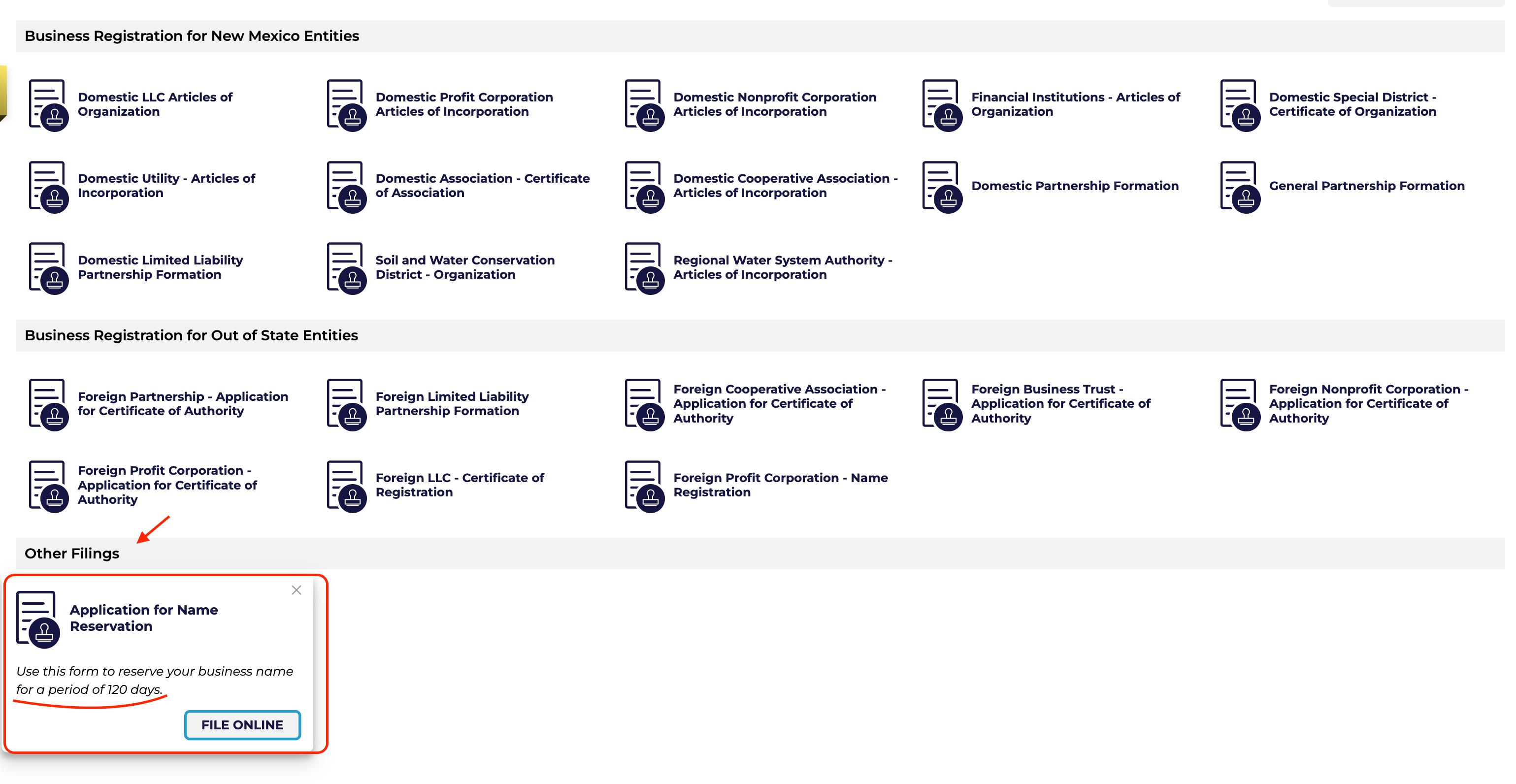
Open Business Forms and find Application for Name Reservation under Other Filings. Opening it shows the reservation description and FILE ONLINE button, which takes you to sign-in. The public search itself can be used without an account.
 Open full size
Under § 53-19-4(B), an accepted reservation holds the name for 120 days after the application is filed. Section 53-19-4(C) allows the reservation to be transferred by filing a notice.
If someone transfers a reservation to you, check the original filing date. The transfer does not start a new 120-day period.
Find the name reservation applicationOfficial New Mexico references
- Business Search: search controls and results observed September 15, 2026.
- Business Forms: reservation entry and sign-in route observed September 15, 2026.
- Chapter 53, Article 19: §§ 53-19-3 and 53-19-4, checked September 15, 2026.
- New Mexico Secretary of State Business Services: agency guidance and contact route.